
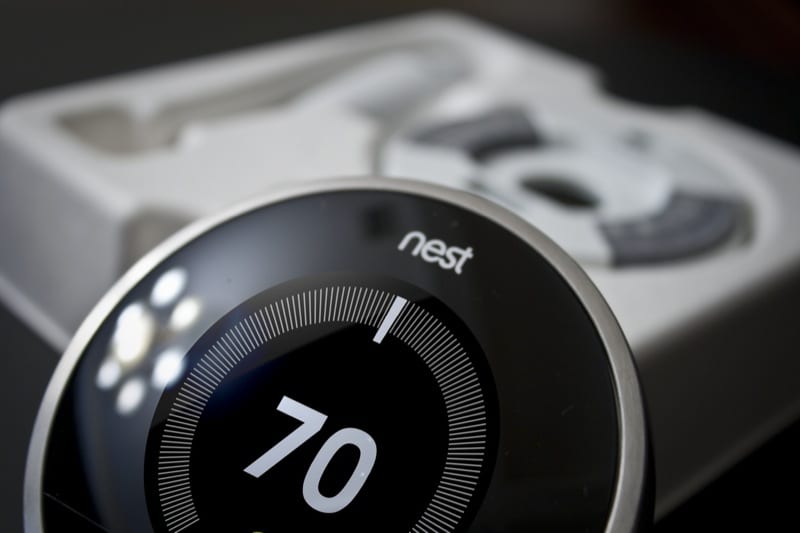
When the Nest Thermostat launched in 2011, its consumer-targeted campaigns put thermostats on the map. For the first time, people started to look at those white rectangular boxes hanging on their walls and realize they looked kind of obsolete in a world where touchscreens were being placed on vehicles, inspection cameras, and even refrigerators. I bought into it almost immediately and have been a fan ever since. Having used them all, I can definitely help you pick the best Nest thermostat for your home or office.
The New Look of Thermostats
Why shouldn’t thermostats look as good as an iPhone? Two former Apple execs seemed to grasp this—but beyond just looking cool, the big claim of Nest was the intuitive ease of use it provided—all while saving a little money (more on that later).
The biggest issue (at least as we saw it) concerned whether or not mechanical companies would embrace this new technology. Would they see it as a potential upsell—or view it as a profit-sucking fad best left alone?
Before you weigh in, we’ll just say upfront that after interviewing Pros and researching the market, we’d recommend the former approach. Since a large percentage of thermostats sell alongside HVAC unit installations, this could end up being a potentially important device to understand and explain to your company’s clients.
How Does the Nest Thermostat Work?
If the Nest thermostat oversteps anywhere, it may be where it claims bold energy savings averaging as much as $173/year. That’s the amount wasted, they claim, by 89% of programmable thermostats that are too complex for most consumers to properly use and program.
In effect, they are instead treated as “set and forget” devices whose features go largely unused. These numbers are certainly up for debate, but the founding principle is undoubtedly true—most people do not adequately program their thermostats. Like VCRs back in the ’80s, these little white boxes are intimidating, and consumers opt to simply ignore a majority of the available features.
The Simplicity of the Nest Thermostats
The big deal with Nest thermostats, and why your customers may be very attracted to it, is that (unlike that VCR) the Nest virtually programs itself. When used properly, they claim you can save up to 20% on your heating and cooling bill.
But that’s beside the point. It just makes it easier to set, maintain, and automate the temperature in your home.
It Knows When You’ve Been Sleeping…
The Nest thermostat has both light and motion-tracking sensors that scan everything within a 150-degree angle to detect activity in the room. It also has three temperature sensors and a WiFi connection to get weather data from your local area via the Internet.
It Knows When You’re Away…
With these combined abilities, the Nest can tell whether you’re home and set a schedule for your HVAC system. It adjusts the temperatures accordingly based on your initial settings and manages “Auto-away” times when it ascertains that the home is unoccupied during parts of the day.
It’s not nearly as intrusive as, say, an Amazon Echo, but it does work. We have an upstairs home theater room where we watch television several nights a week. It has its own 1.5-ton AC unit. When my husband is working, and the kids are at college, it sits unused. The Nest simply adjusts the temperature up (or down during the winter months) while the room is occupied, so the AC doesn’t run all day long for no reason.
I get to set the limits, so I can make sure the room never gets ridiculously hot or cool while unoccupied. At the same time, I save money by not paying for that AC unit to keep a room hot or cold during the day while no one is using it.
Informative Nest LCD Screen
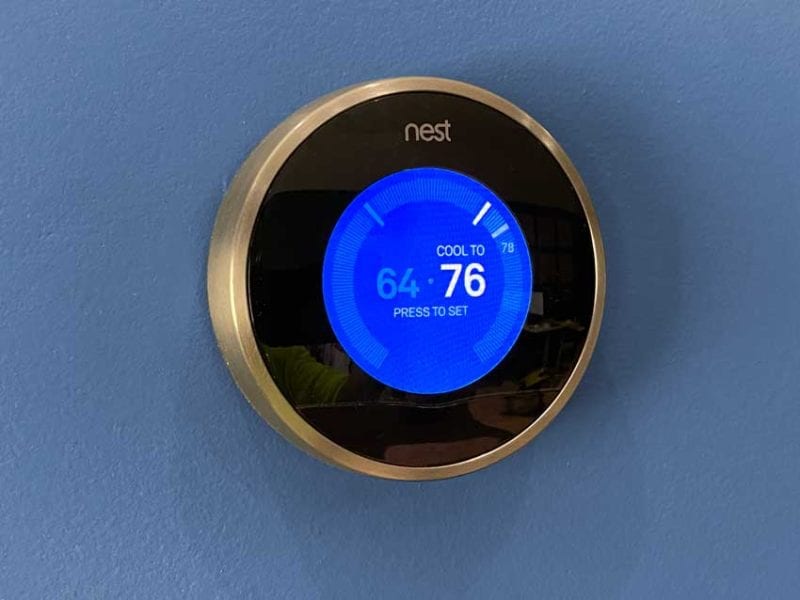
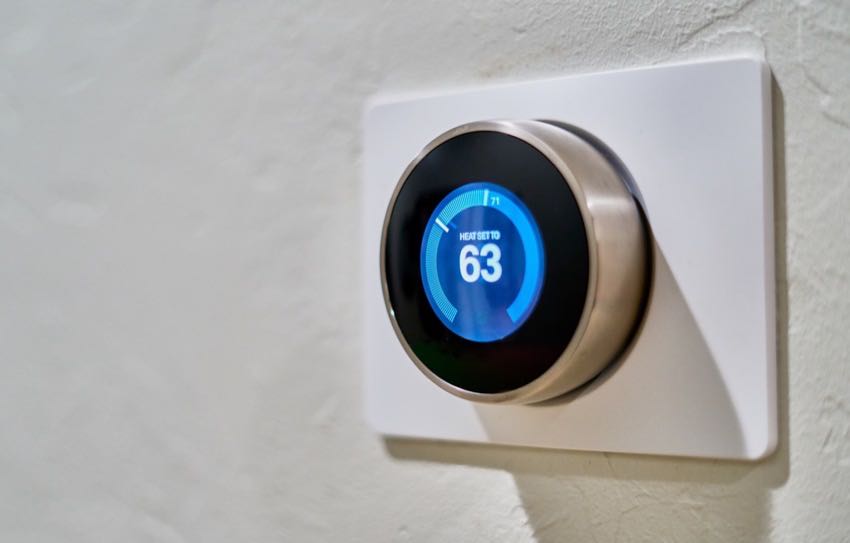
Earlier Nest thermostats displayed a minimal amount of info on their LCD screens—just what you need to know. This essential information—the temperature setting(s) and room temperature—is available right on the unit itself. It also lights up blue when cooling and red when heating. Newer models oinclude more information as well as larger displays.
In addition, the Nest iOS and Android apps link directly to the device (the new Google Nest uses Google Home). Know you’re coming home early? You can simply call up the app and drop the temperature before you leave the office, airport, restaurant, etc. Want to check in on your schedule or get an energy report? Open up a browser or the app, and you can do that, too.
Adding to all of that is the fact that the Nest is becoming so ubiquitous you can pick one up at Amazon—or at Lowe’s, Home Depot, Best Buy, or just about anywhere else electronics are sold. It may not be quite an impulse buy, but for some, it’s getting close.
Nest 1st–4th Generation Learning Thermostats
The Nest Gen 1–Gen 4 Thermostats differ from one another in some minor and major ways. Visually, they look very similar except that the 1st-generation Nest thermostat has a seam along the outer ring, while the “pill” design of the 4th-generation modernizes the thermostat.
The base plate of the 1st-gen Nest also has only 8 straight-aligned wire connection points instead of the curved 10 on 2nd and 3rd-gen units. More than anything, the 2nd and 3rd-gen thermostats benefited from improvements in technology and manufacturing techniques. They also refined the design a bit more as the product matured.
Google Nest Learning Thermostat (4th Gen)
The 4th-generation Google Nest Learning Thermostat features a border-free high-resolution display that’s 60% larger than prior models. You can also customize the “Farsight” information displayed on the screen (weather, time, humidity, etc). It has the widest possible HVAC compatibility and even includes Matter support in addition to Google Home and Apple Home support.
The 4th-gen also ships with an included Nest Temperature Sensor so you can monitor and average the temperature in two different rooms. Overall, it’s the most sleek, capable, and robust thermostat Nest has to offer.
Google Nest Thermostat E
The slightly smaller Google Nest Thermostat E provided a lower cost-of-entry for those wanting a smarter thermostat. It offered most of the features of the 3rd generation Nest, except for a few things (including only coming in white).
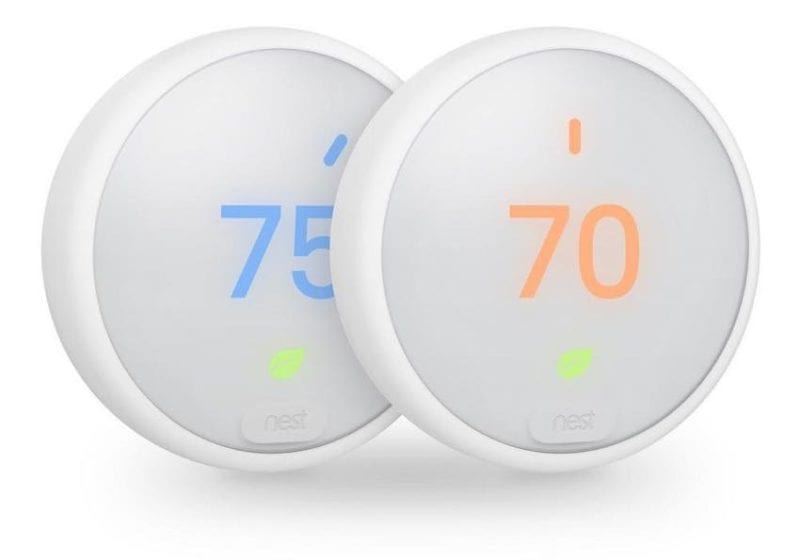
Google used a polycarbonate body for the E model thermostat that has a ceramic feel. It works with 85 percent of traditional heating and cooling systems (with only 6 wire connectors). This thermostat also lacks Nest’s Farsight feature, which lights up to display various information when you’re standing away from the unit. It also only carries a 1-year warranty.
Google Nest Thermostat
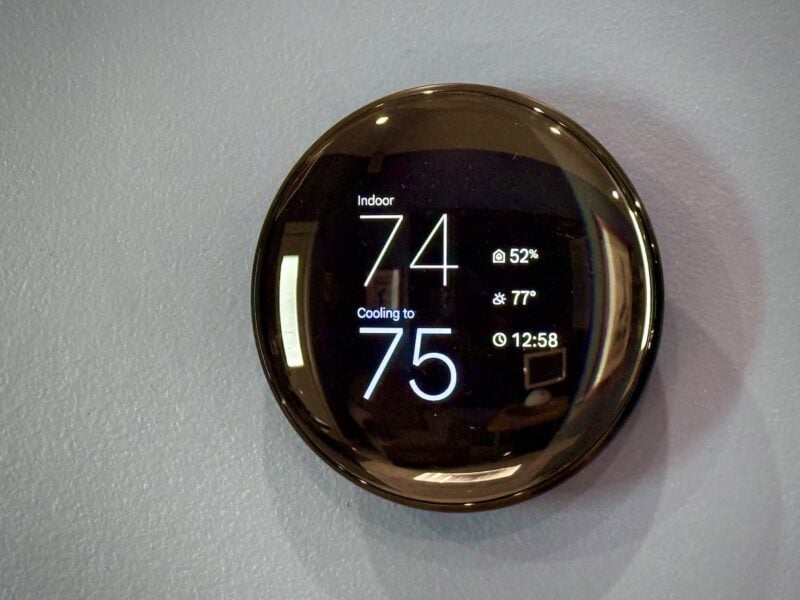
In 2020, Google completely redid the Nest Thermostat for the first time since acquiring the company back in 2014. The new model features fewer moving parts. Instead of a rotating outer ring, the newest Google Nest Thermostat uses touch capacitance on the right side of the metal housing. Touching the housing activates a function, and sliding your finger up and down controls the value or input.
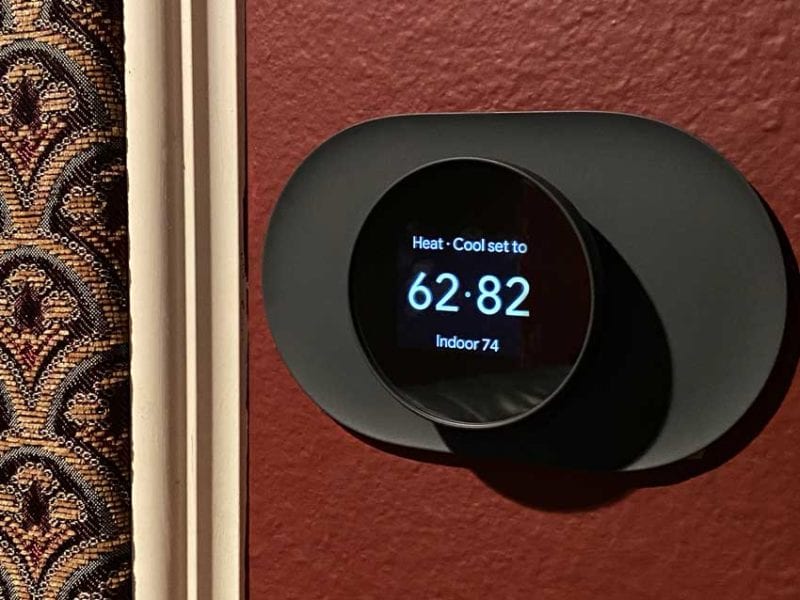
The Google G4CVZ Nest Thermostat feels a bit less intuitive to use than the former generation. It also costs nearly $100 less. We bought one for our upstairs home theater room. Our goal was to have it automatically detect whether the room was occupied. It does this flawlessly, letting us set the temperature to higher and lower limits for most of the day.
Are You Missing a Profit Opportunity?
Some of the biggest complaints regarding the Nest thermostat come from professional HVAC technicians and business owners who feel that allowing customers the opportunity to mess with their thermostats is a recipe for disaster. But the bigger point is this: people got excited about thermostats. For the first time in…I don’t know…EVER, people started talking about a thermostat.
I mean, let that sink in a bit.
You have (at least) two kinds of residential clients. First, they may not have heard of the Nest. You get to introduce them to a system that’s as smart as they want it to be. Whether they plan to use an app with it or not, the Nest Thermostat provides an intuitive way for them to manage temperature settings. And it’s impressive.
The second kind of client is the one who knows about Nest and will be tremendously unimpressed by that plain white box you spec’d with their new HVAC system. They may even ask about it. Give them the option to upgrade to a smart thermostat. If they were born after 1970, this is going to be something that will appeal to them—and your knowledge of the product might just set your bid apart from the competition.
Nest Thermostat Features & Specs Compared
| Nest Learning 4th Gen | Nest Learning 3rd Gen | Nest Thermostat | Nest Thermostat ‘E’ | Nest 1st/2nd Gen | |
|---|---|---|---|---|---|
| Screen | 2.7 in. 600×600 | 2.08 in. 480×480 | 2.4 in. 240×320 | 1.76 in. 320×320 | 1.75 in. 320×320 |
| Colors | Polished Silver, Obsidian, Gold | Stainless steel, Copper, Polished steel, Mirror Black, White, Black, Brass | Fog, Sand, Charcoal, Snow | White | Stainless steel |
| Compatibility | The Nest Learning Thermostat (4th gen) works with most 24V systems, including gas, electric, oil, forced air, heat pump, and radiant. | The Nest Learning Thermostat works with 95% of 24V heating and cooling systems, including gas, electric, forced air, heat pump, radiant, oil, hot water, solar, and geothermal. | The Nest Thermostat works with most 24V heating and cooling systems, including furnaces, air conditioners, boilers, and heat pumps with either forced air or radiant delivery. | The Nest Thermostat E works with 85% of 24V heating and cooling systems, including gas, electric, forced air, heat pump, radiant, oil, hot water, solar and geothermal. | The Nest Learning Thermostat works with 95% of 24V heating and cooling systems, including gas, electric, forced air, heat pump, radiant, oil, hot water, solar, and geothermal. |
| C Wire Required? | No | Yes | Yes | No | Yes |
| Sensors | Soli sensor (for Motion Sense) Temperature Humidity Ambient light | Temperature Humidity Proximity Motion Ambient light Magnetic (for thermostat ring position) | Temperature Humidity Proximity (passive infrared sensor) Soli sensor for Motion Sense Capacitive touch Ambient light | Temperature Humidity Proximity Motion Ambient light Magnetic (for thermostat ring position) | Temperature Humidity Proximity Motion Ambient light Optical (for thermostat ring position) |
| Memory | 512 MB | 512 MB | 256 MB | 256 MB | 512 MB |
| Diameter | 3.9 in (98 mm) | 3.3 in (8.4 cm) | 3.3 in (8.4 cm) | 3.19 in (8.1 cm) | 3.27 in (8.3 cm) |
| Battery | Built-in Li-ion | Built-in Li-ion | 2x AAA 1.5V alkaline | Built-in Li-ion | Built-in Li-ion |
| Voltage | 20-30V AC | 20-30V AC | 20-30V AC | 20-30V AC | 20-30V AC |
| Wireless | 802.11 a/b/g/n | 802.11 a/b/g/n | 802.11 a/b/g/n | 802.11 a/b/g/n | 802.11 b/g/n |
| Bluetooth | Yes | Yes | Yes | Yes | No |
Additional Considerations
Now, there are potential issues with the Nest thermostat that could be of some concern. For one, the Gen 4 model costs as much as $280. That’s a lot of money for a thermostat, so you may want to offer it as an upgrade as opposed to rolling it into the proposal (so that you don’t come in at a higher price than your competition). Fortunately, you also have options of the Nest Thermostat E or the newer Google Nest.
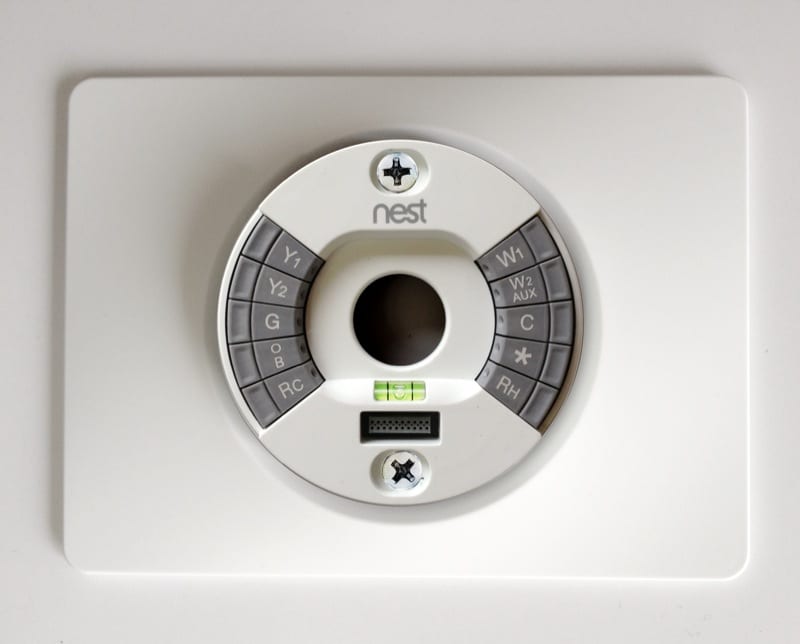
Nest also only allows single wires for each terminal point, relying on internal sensing to properly jump connections as needed. This can present problems for certain installations and may turn what would be a familiar and simple install with a known thermostat into a more complex endeavor.
Potential Issues
Another potential issue with the Nest is that, as a thermostat, the Nest presents additional considerations for warranty support since it’s a rather expensive product. You will need a plan to either have some spares around or be prepared to temporarily substitute a standard thermostat for your clients should the Nest require out-of-warranty service. The Nest thermostat has a two-year warranty (from date of purchase) on the 2nd generation models and a five-year warranty on the 1st generation models.
Note on 2nd Stage Heating
For those up north, 2nd generation Nest thermostats don’t currently support using your auxiliary (2nd stage) heat source as emergency heat. Instead, with these, Nest engages the 2nd stage heating when it’s needed to keep your home warm. You can manually turn on emergency heat using the Nest controls by setting a temperature threshold. Newer models don’t have this issue.
Lastly, on older systems where there is no path back to Common (the ‘C’ wire), the Nest may encounter issues keeping the internal lithium-ion battery charged. This has been addressed at length in documentation found online, but the bottom line is that you may need to do some finagling in order for it to function correctly.
Do you install Nest thermostats on your jobs? Leave us a comment below with your thoughts.